站点介绍
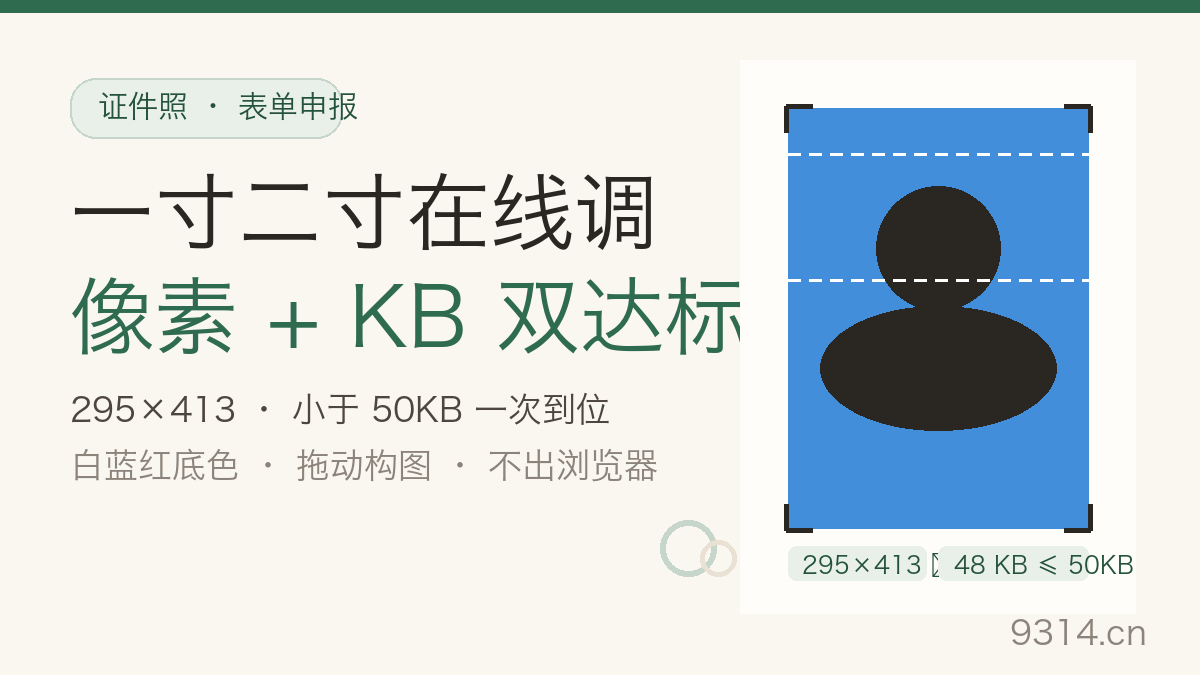
The sentence that ruins an application evening: "Photo must be 600x600 pixels and under 240KB." A phone snapshot is four thousand pixels and three megabytes - over on both counts, and the upload form rejects it with an error message that never mentions size. A drugstore photo booth means a trip; a desktop editor means an hour. This takes about two minutes in a browser tab.
Tools that only resize pixels are everywhere, but government forms never ask for pixels alone. Pixel dimensions govern print sharpness - 600x600 at 2x2 inches lands on exactly 300dpi, the floor every print shop works from. The KB cap is a hard system gate: over 240KB the DS-160 uploader just fails, and the error rarely names the cause. The two limits run on different logic - one geometric, one about compression - so they need separate handling.
This tool splits the work: the viewfinder crop nails geometry without touching compression, then a binary search over JPG quality finds the highest quality that fits the cap - starting at 95, dropping until it fits, converging within eight rounds. Photos that refuse to fit (busy backgrounds, brutal targets) get a resampling fallback, and if even that fails, the card says Not met with the real size.
Automatic face detection sounds fancy and misfires at the worst moments: profiles go unrecognized, glasses confuse the eye estimate, group photos find two faces at once. ID photo rules are picky in exactly the places detectors wobble - crown-to-frame distance, eye height as a fraction of the canvas. So the framing stays yours: two dashed guides, the crown line about one-ninth from the top and the eye line at four-ninths. Drag until the lines sit right; that beats any model's guess. Phone portraits arrive upright via their EXIF orientation flag before anything else happens.
Three things this tool will not do. It will not auto-swap a real photo's background - machine cutouts fail on hair constantly, so cut the background out with a remover tool first and come back to lay down white, blue or red. It cannot invent detail: a 200-pixel-wide source blown up to 600 is interpolated and will print soft; that is the source's fault, not the spec's. And when the KB target is genuinely unreachable, it says so honestly instead of crushing the photo to claim victory - raise the cap or feed it a cleaner background.
The tool crops to your pixel size first, then walks quality downward until the file fits. A 600x600 head shot under 240KB almost always fits on the first try. If even the lowest quality plus resampling still overshoots, the photo simply carries too much detail for the target - a busy background, a large canvas, or an unusually small limit. The result card says Not met and shows the real size instead of pretending otherwise. Fixes: use a photo with a cleaner background, raise the target, or run a dedicated image compressor first.
Yes. 600x600 pixels at 2x2 inches (51x51mm) works out to exactly 300dpi, the resolution print shops treat as the industry floor for ID photos. Schengen 35x45mm at 413x591 is the same math. The thing to watch is your source: if the original is only a couple hundred pixels wide, blowing it up to 600 is interpolated - the print will look soft. That is a source-detail problem, not a spec problem.
The color sits underneath the photo, so you see it in two cases: transparent PNGs (already cut out) get the chosen color filled in, and any corner the photo does not cover shows the color. A regular opaque photo hides the background entirely - and yes, this tool deliberately skips auto face detection and background replacement, because automated swaps misfire often. To recolor a real photo, cut the background out with a remover tool first, then come back and pick the color here.
No. The tool reads the EXIF Orientation flag (values 1-8) and physically rotates the pixels upright before anything enters the viewfinder. If a photo has a broken or missing flag, the 90-degree rotate buttons next to the frame fix it in one tap.
No. The photo and your framing stay in the viewfinder. Switch the spec - say from US passport to Schengen - and the tool re-crops, re-scales, re-compresses and re-renders automatically. One upload can produce a whole application set.
No. Cropping, scaling, KB compression and JPG encoding all happen inside this device's browser - zero network requests, and the photo itself is never written to local storage. Only two preferences (background color and KB target) are kept in this browser and vanish when you switch devices or clear site data. The Clear my data link in the footer removes them.
中文版:https://www.9314.cn/tools/form-photo-resizer/
相似站点
评论列表 (0条)

 "Passport & Visa Photo Resizer: Exact Pixels and File Size")
 "百分比计算器:四种算法带过程,算错一查就穿帮")
 "证件照制作:一寸二寸在线调,像素KB双达标")